Public sources
We aggregate structured and open-web public records, company footprints, and profile-level signals that are legally available. This layer gives broad baseline coverage and keeps the platform fresh as public information changes.
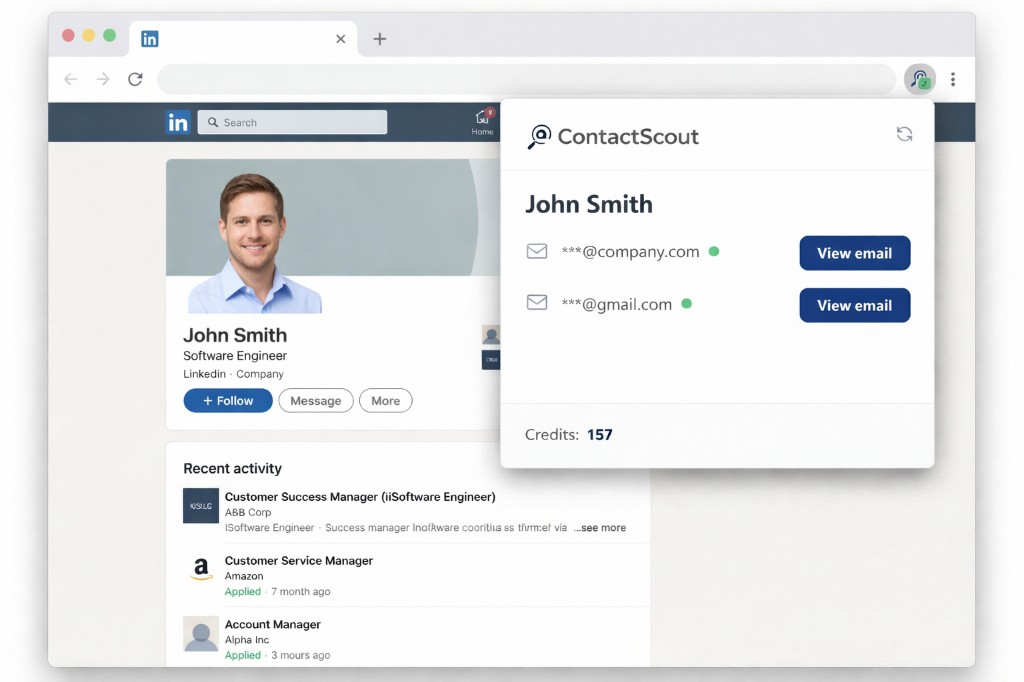
Open a prospect profile like you normally do
Browse LinkedIn as you already do—ContactScout runs alongside the profile you have open.
Instantly see if we have their contact details
You don’t have to open the extension—the toolbar icon lights up with a green mark when we’ve found an email for that profile.
Unlock verified emails in one click
When you’re ready, reveal work or personal addresses in one click—no manual guessing or tab-hopping.
Reach out directly and start conversations
Copy the address or switch to your inbox and message them without another research step.

LinkedIn caps InMails tightly, so most outreach stays inside a noisy, limited channel—before you even get to “maybe they’ll reply.”
You find great prospects, but many never respond
InMails are very limited on LinkedIn—you only get a small monthly allowance—while connection requests pile up in a crowded inbox, so replies from strong profiles are hard to win.
You don’t have an alternative way to reach them
If they don’t respond on LinkedIn, there’s often no second reliable contact option.
Many prospects are reachable — just not through LinkedIn
The problem isn’t availability, it’s access to the right contact channel.
We help you turn LinkedIn profiles into real conversations
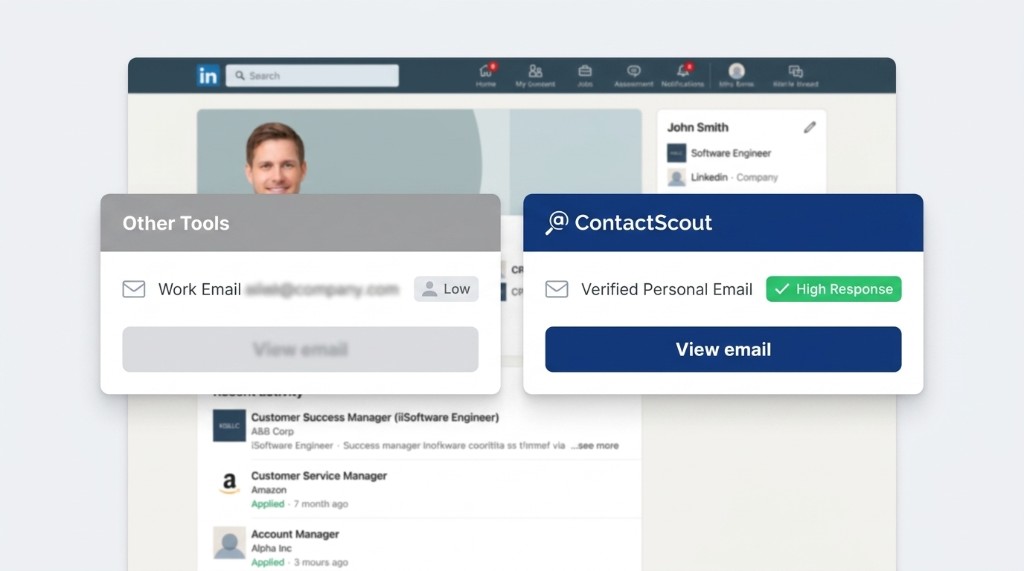
Get verified personal emails directly from profiles so you can reach prospects beyond LinkedIn.
You already use sourcing and email finder workflows
Those workflows are useful for scale, but they still miss a meaningful share of reachable contacts.
In many searches, ContactScout finds additional emails others miss
That includes both high-intent personal emails and direct work emails tied to the right person.
Why this happens: a broader, constantly improving data layer
As described in Our Data, we combine public sources, a trusted contributor network, and AI inference to increase coverage and freshness.
Result: more total reachable contacts, not just one email type
You get verified personal emails plus direct work emails, helping you open more conversations with hard-to-reach prospects.
Our coverage combines large-scale public sources, a trusted contributor network, and AI-driven data intelligence. We unify these signals into one data layer with continuous validation, governance controls, and quality monitoring.
We aggregate structured and open-web public records, company footprints, and profile-level signals that are legally available. This layer gives broad baseline coverage and keeps the platform fresh as public information changes.
Monthly email credits for unlocking verified contacts. Every plan includes the same features—pick the volume that matches how you source.
5
email credits / month
Free
No credit card required
Included
1,000
email credits / month
$49/month
Included
3,000
email credits / month
$99/month
Included
ContactScout is a browser extension that runs on LinkedIn prospect profiles. Open a profile the way you already do—we surface contact options in context. When you’re ready, unlock verified work or personal emails in one place and follow up directly, without tab-hopping to another research tool.
No. The toolbar icon shows a green indicator when we’ve found contact options for the profile you’re viewing, so you can tell at a glance whether it’s worth opening—without checking the popup on every single visit.
Existing tools are great for volume, but they still miss many reachable contacts. ContactScout often finds additional emails others don’t, including both verified personal emails and direct work emails. As explained in Our Data, we combine public sources, our contributor network, and AI inference to expand coverage—right on the LinkedIn profiles you already review.
LinkedIn caps InMails tightly, and connection requests compete in a crowded inbox—so strong prospects often never reply on-platform alone. When native outreach stalls, a direct email is frequently the next best channel. ContactScout helps you get there from the same profile visit instead of stopping at “no response.”
Depending on what we have for a given profile, you can reveal verified work or personal addresses so you choose how to follow up—especially when a company inbox is the wrong line or prospects ignore LinkedIn altogether.
Anyone sourcing on LinkedIn—whether that’s your only channel or part of a wider stack. Teams who already use databases and finders use ContactScout to add personal-email reachability for prospects who won’t engage through work aliases or native LinkedIn alone.
Welcome back. Sign in to manage your account.
Don't have an account?